
Getting started
If you're a third-party trying to build an integration with Greyfinch Connect, contact us.
For customers, you will first of all need access to the organisation's data. To do that you'll need a personal access token.
Get your Personal Access Token
If you're already a Greyfinch customer, get your personal access token from the Settings menu - click on Settings > Developers > Add New
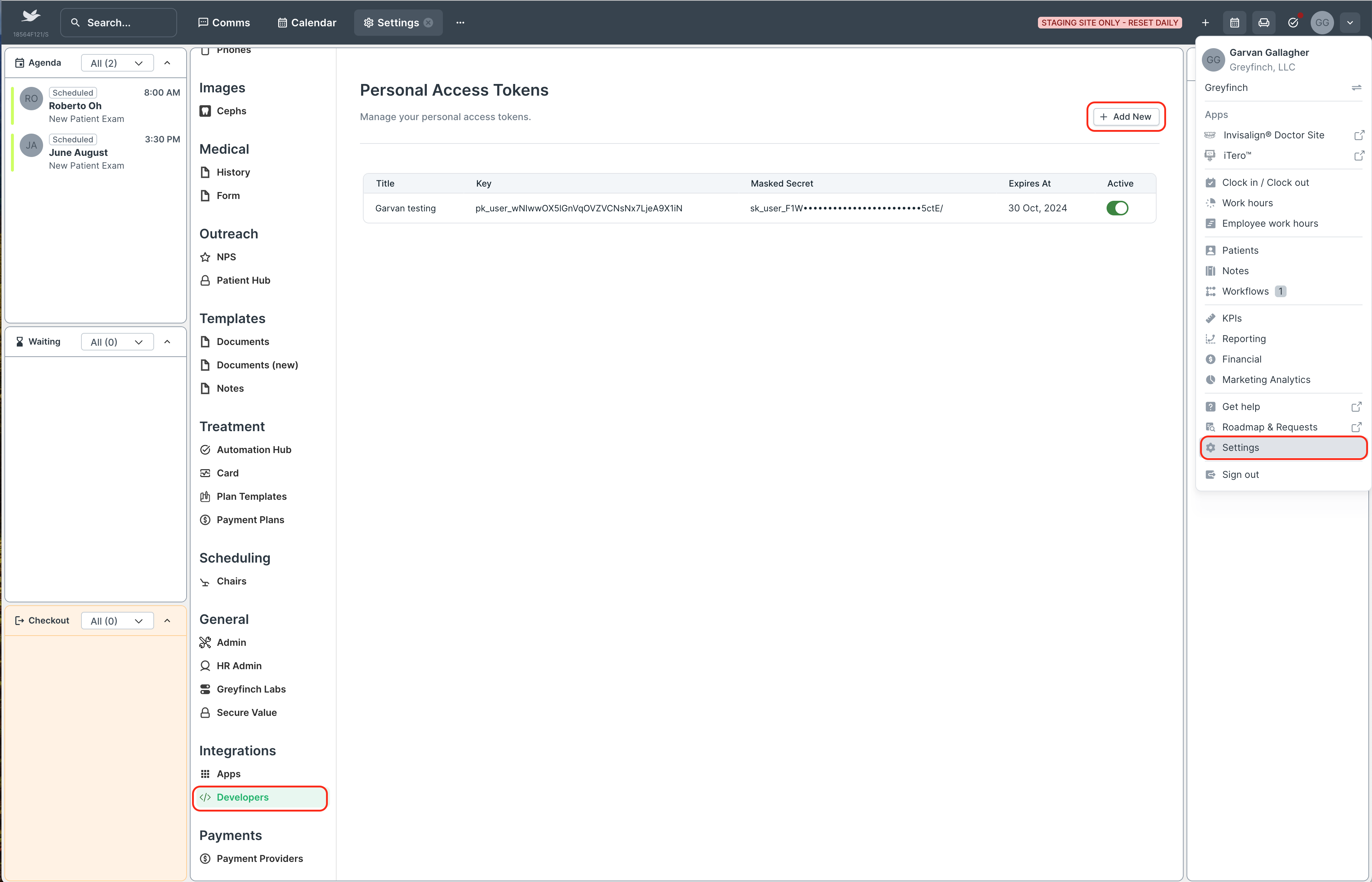
Give your token a description
Select an expiry date for your token. Note, you will need to manage token's expiration in your application until we have the capability to renew tokens programatically through the API.
Click
Createto get your personal access token, which gives you a key and secret.
Existing tokens can be temporarily deactivated by toggling them off. A deactivated token can always be reactiveated if needed.
:::warning Keep your token secrets secure Greyfinch does not store your token secrets or have access to them. It's important to keep your token secrets secure after they are generated. :::
Try it out with the Playground
With your API key and secret, head over to the Playground and authenticate. Take a simple query, to find all patients whose first name some characters of your choosing.
Introspection in GraphQL lets developers query the API's schema directly. This feature integrates with tools like GraphiQL in Playground to provide autocomplete suggestions, helping to speed up the process of writing queries. By using introspection, developers can quickly understand the API's structure and capabilities without necessairly needing to constantly check external documentation. To try it out, hit Clrl + Space when inside an object in GraphQL, for example, inside person below.
query docs_patients {
  patients(limit: 1) {
    person {
      id
      firstName
      lastName
      birthDate
    }
  }
}
Post your first GraphQL query
Take a simple query, to find all patients whose first name is Priscilla.
query docs_patients {
  patients(where: { person: { firstName: { _eq: "Priscilla" } } }) {
    person {
      id
      firstName
      lastName
      birthDate
    }
  }
}