
Working with Leads
Leads are potential patients, or marketing prospects.
The creation of a lead must be associated with a configuration within an organization. This allows the system determine the source of a lead.
There are two use cases with the configuration.
Firstly, and by default, when enough personal information is provided a patient is automatically created. This is asychronous, so after creating the lead you will need to ask for the patient id if you need it using the lead id returned from the mutation.
The second is to have more granular control, in this scenario, a patient is not created even though there might be enough information, until the lead is explicitly 'promoted'.
To enable this mode, you can either include the setting when creating your configuration, or add it to an existing configuration — see below.
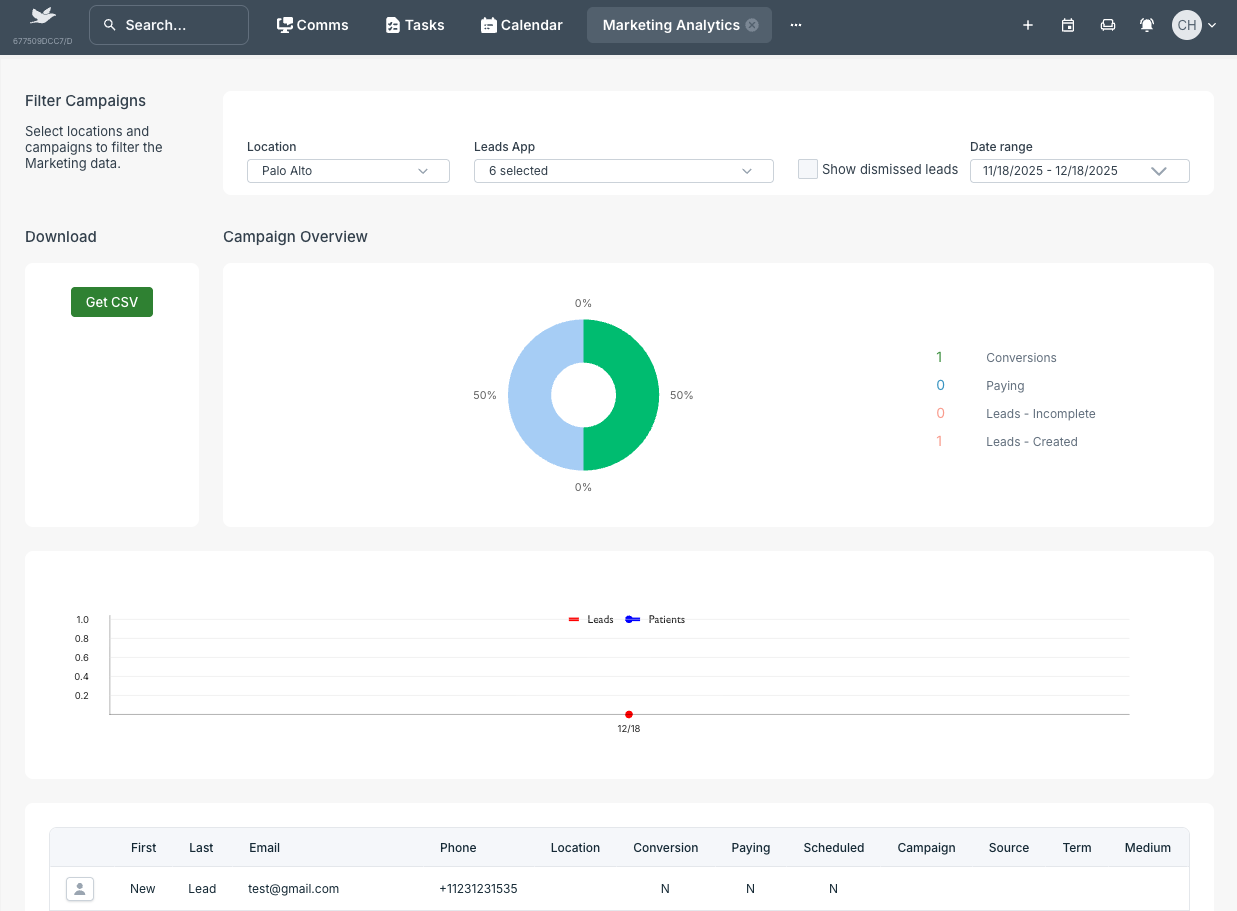
GraphQL Query Examples
Create a configuration. At least one is needed per integration.
Create a leads configuration
A configuration must be created against an organization. It is suggested that if an organization has multiple locations it is created at an organization level, rather than at a location level.
Request
mutation InsertLeadConfiguration {
  insertLeadConfiguration(
    object: { companyId: "<<uuid>>", name: "<<Some app configuration name>>" }
  ) {
    id
  }
}
To create the configuration with the leadOnly setting enabled from the start, include it in the settings field:
Request
mutation InsertLeadConfigurationWithLeadOnly {
  insertLeadConfiguration(
    object: {
      companyId: "<<uuid>>"
      name: "<<Some app configuration name>>"
      settings: { data: [{ key: "leadOnly", value: true }] }
    }
  ) {
    id
  }
}
Response
{
  "data": {
    "insertLeadConfiguration": {
      "id": "<<uuid>>"
    }
  }
}
Enable LeadOnly on an existing configuration
If your configuration already exists, add the leadOnly setting using insertLeadConfigurationSetting:
Request
mutation InsertLeadConfigurationSetting {
  insertLeadConfigurationSetting(
    object: { configurationId: "<<uuid>>", key: "leadOnly", value: true }
  ) {
    id
  }
}
Response
{
  "data": {
    "insertLeadConfigurationSetting": {
      "id": "<<uuid>>"
    }
  }
}
Retrieve configurations
A configuration can be retrieved as below
query leadsConfigurations {
  leadConfigurations {
    id
    name
  }
}
Response
{
  "data": {
    "leadConfigurations": [
      {
        "id": "<<uuid>>",
        "name": "<<Some app configuration name>>"
      }
    ]
  }
}
Create a lead
A lead is created by passing a structured json object, along with a configuration id.
A location may not have to be passed, but unless one is provide the leads can not be promoted to a patient (unless the configuration id is at a location level already).
You may not want to pass a location id if you do not know at time of creation where they will belong. PMS admins can choose a location for a lead and promote it to a patient manually.
You can add also arbitrary questions and answeres which will be displayed on the leads interface to users of the PMS.
Leads may also have notes added to them: insertLeadNote
Example lead with no location (to be assigned by a PMS user) and custom questions in PMS
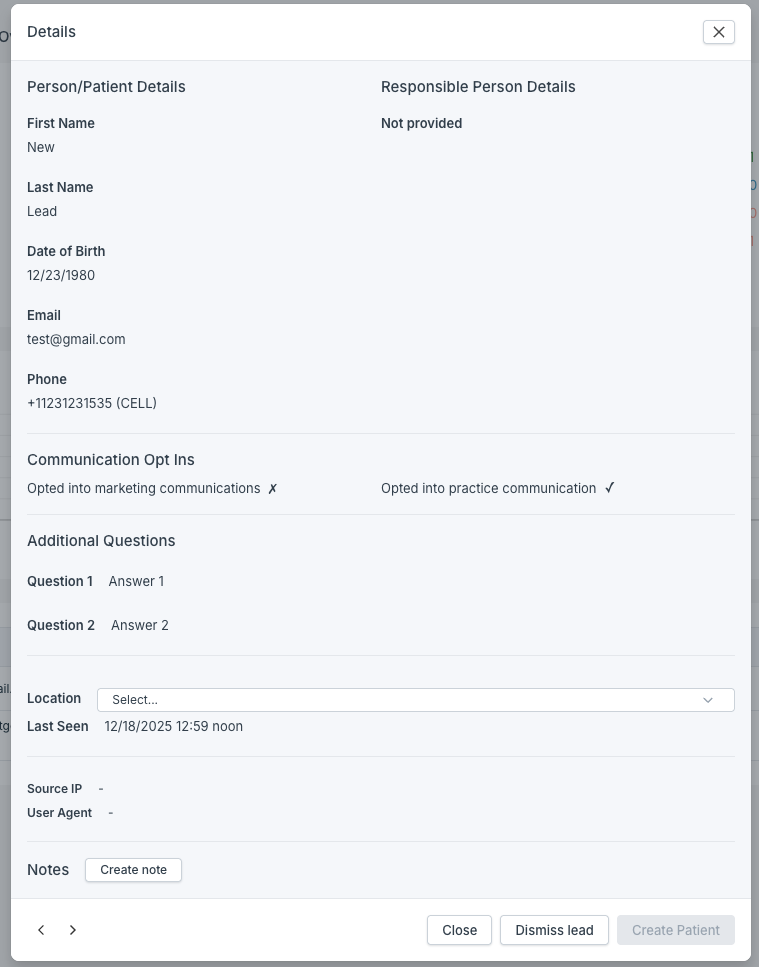
The schema for the leads metadata is:
{
  "type": "object",
  "required": ["object"],
  "properties": {
    "object": {
      "type": "object",
      "required": ["person", "configurationId"],
      "properties": {
        "locationId": { "type": "string", "format": "uuid" },
        "configurationId": { "type": "string", "format": "uuid" },
        "person": {
          "type": "object",
          "required": ["firstName", "lastName", "email", "phoneDetails"],
          "properties": {
            "firstName": { "type": "string" },
            "lastName": { "type": "string" },
            "birthDate": { "type": "string", "format": "date" },
            "email": { "type": "string", "format": "email" },
            "heardAboutUs": { "type": "string" },
            "address": {
              "type": "object",
              "required": ["street", "city", "state", "zip"],
              "properties": {
                "street": { "type": "string" },
                "city": { "type": "string" },
                "state": { "type": "string", "pattern": "^[A-Z]{2}$" },
                "zip": { "type": "string", "format": "zip" }
              }
            },
            "phoneDetails": {
              "type": "object",
              "required": ["type", "number", "agreeOnSms"],
              "properties": {
                "type": {
                  "type": "string",
                  "enum": ["CELL", "LANDLINE"]
                },
                "number": {
                  "type": "string",
                  "pattern": "^[+][1]([0-9]{10})$"
                },
                "agreeOnSms": { "type": "boolean" }
              }
            }
          }
        },
        "responsible": {
          "type": ["object", "null"],
          "required": [
            "firstName",
            "lastName",
            "email",
            "phoneDetails",
            "relationshipType"
          ],
          "properties": {
            "firstName": { "type": "string" },
            "lastName": { "type": "string" },
            "email": { "type": "string", "format": "email" },
            "phoneDetails": {
              "type": "object",
              "required": ["type", "number", "agreeOnSms"],
              "properties": {
                "type": {
                  "type": "string",
                  "enum": ["CELL", "LANDLINE"]
                },
                "number": {
                  "type": "string",
                  "pattern": "^[+][1]([0-9]{10})$"
                },
                "agreeOnSms": { "type": "boolean" }
              }
            },
            "relationshipType": {
              "type": "string",
              "enum": [
                "WARD",
                "UNCLE",
                "STEPMOTHER",
                "STEPFATHER",
                "STEPCHILD",
                "SPOUSE",
                "SISTER",
                "PARTNER",
                "OTHER",
                "NIECE",
                "NEPHEW",
                "MOTHER",
                "GUARDIAN",
                "GRANDSON",
                "GRANDMOTHER",
                "GRANDFATHER",
                "GRANDDAUGHTER",
                "FATHER",
                "CHILD",
                "BROTHER",
                "AUNT"
              ]
            }
          }
        },
        "answers": {
          "type": ["array", "null"],
          "items": {
            "type": "object",
            "required": ["question", "answer"],
            "properties": {
              "question": { "type": "string" },
              "answer": { "type": "string" }
            }
          }
        }
      }
    }
  }
}
Request
mutation InsertLead {
  insertLead(
    object: {
      configurationId: "<<uuid>>"
      locationId: "<<uuid>>"
      metadata: {
        person: {
          email: "[email protected]"
          firstName: "New"
          lastName: "Lead"
          birthDate: "1980-12-23"
          address: {
            street: "Hollywood"
            city: "Los Angeles"
            state: "CA"
            zip: "90210"
          }
          phoneDetails: {
            type: "CELL"
            number: "+11231231535"
            agreeOnSms: true
          }
        }
        answers: [
          { question: "Question 1", answer: "Answer 1" }
          { question: "Question 2", answer: "Answer 2" }
        ]
      }
    }
  ) {
    id
  }
}
Response
{
  "data": {
    "insertLead": {
      "id": "<<uuid>>"
    }
  }
}
Promoting a lead
If you are not automatically creating a patient from a lead you can promote a lead as below.
Request
mutation createPatientFromLead {
  createPatientFromLead(leadId: "<<uuid>>") {
    id
  }
}
Response
{
  "data": {
    "createPatientFromLead": {
      "id": "<<uuid>>",
      "patient": { <<Patient>> }
    }
  }
}
Following on
Once a lead has become a patient you can carry out other operations like booking appointments with that patient.